
Midnight Braids
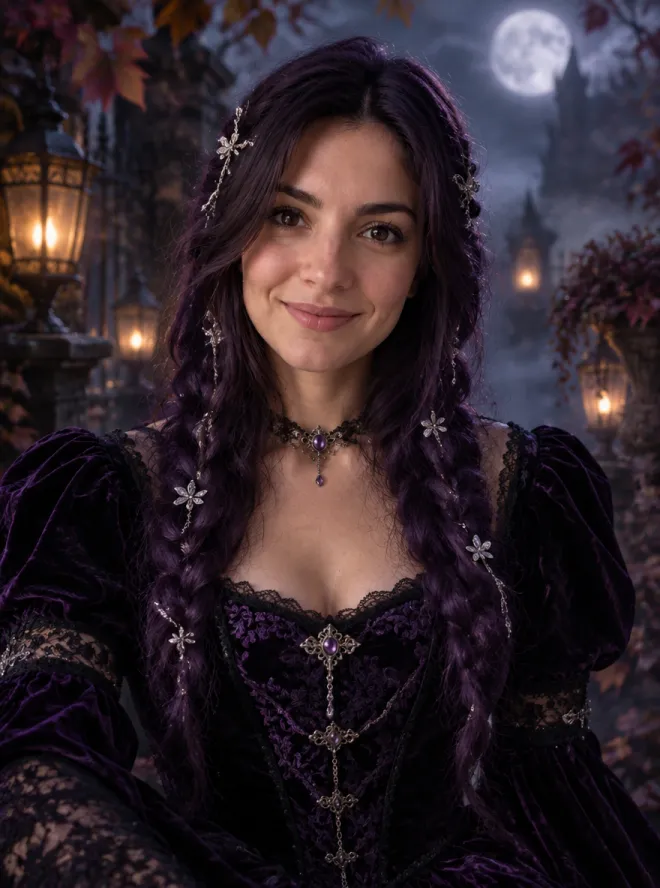
Long violet braids, a black-and-purple velvet gown and a foggy moonlit garden. Gothic, elegant and still unmistakably you.
Early Black Friday: 25% off your first payment on any plan with code EARLYBF
See plansOne selfie, endless Halloween looks. Pick a costume below, swap in your own photo and get a realistic portrait in about 30 seconds, made with GPT Image 2.5.
Nudity, sexual content and edits that undress real people aren't supported and will be blocked. Terms of Service
Costume looks
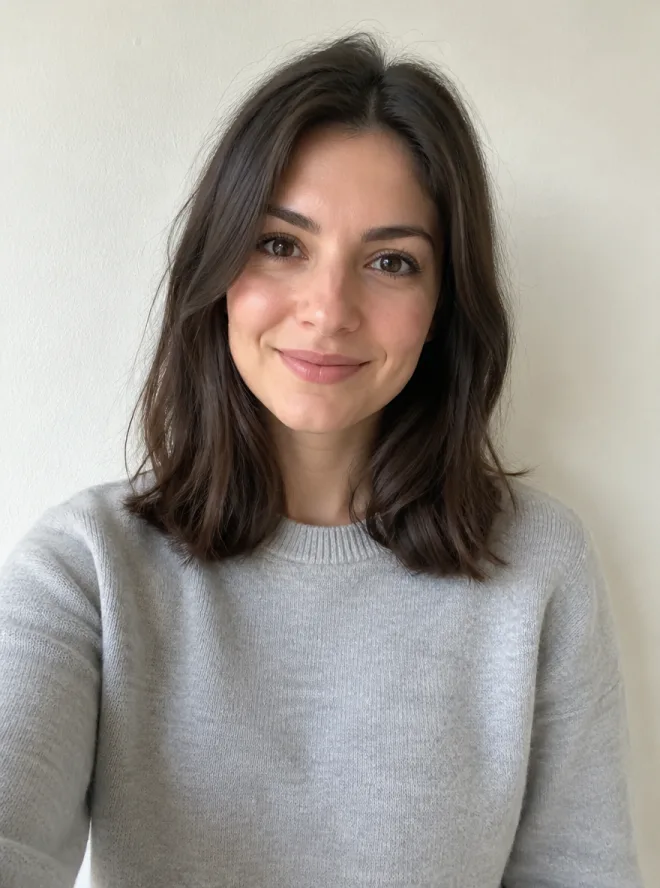
Every look is a tested prompt, shown on a sample photo. Click one, then replace the sample photo with your own and press Generate.
Long violet braids, a black-and-purple velvet gown and a foggy moonlit garden. Gothic, elegant and still unmistakably you.
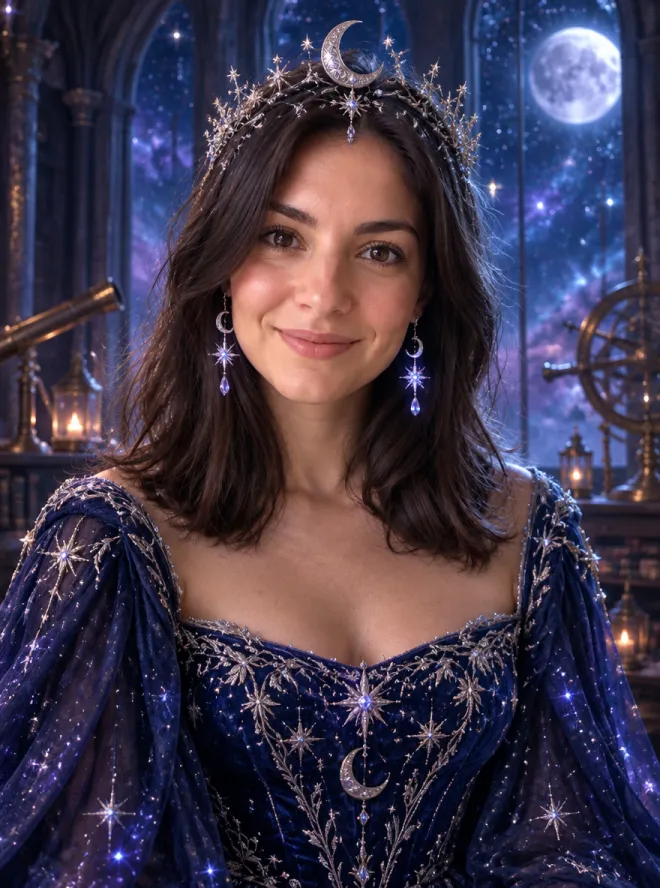
A midnight-blue gown stitched with glowing stars, a crescent-moon crown and an observatory full of night sky.
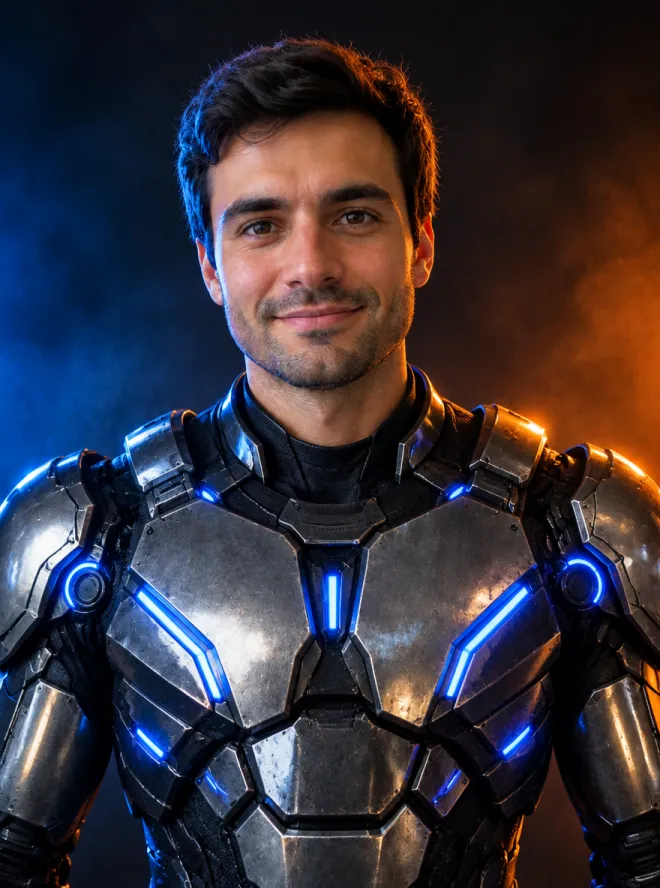

A wearable sci-fi armor costume with blue LED accents and dramatic studio light. Your face stays human.
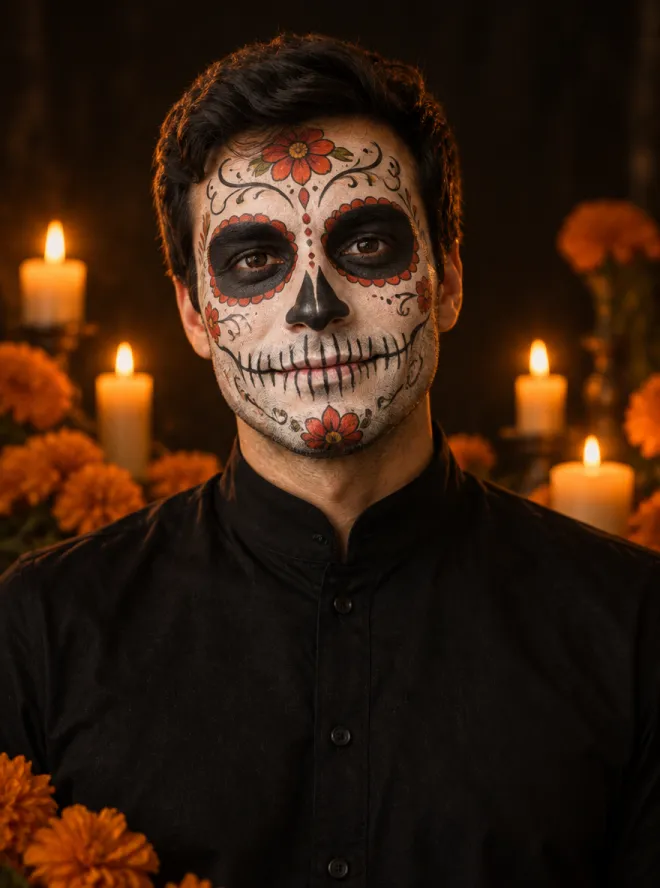
Detailed skeleton face paint with floral filigree, candlelight and marigolds, painted onto your own features.
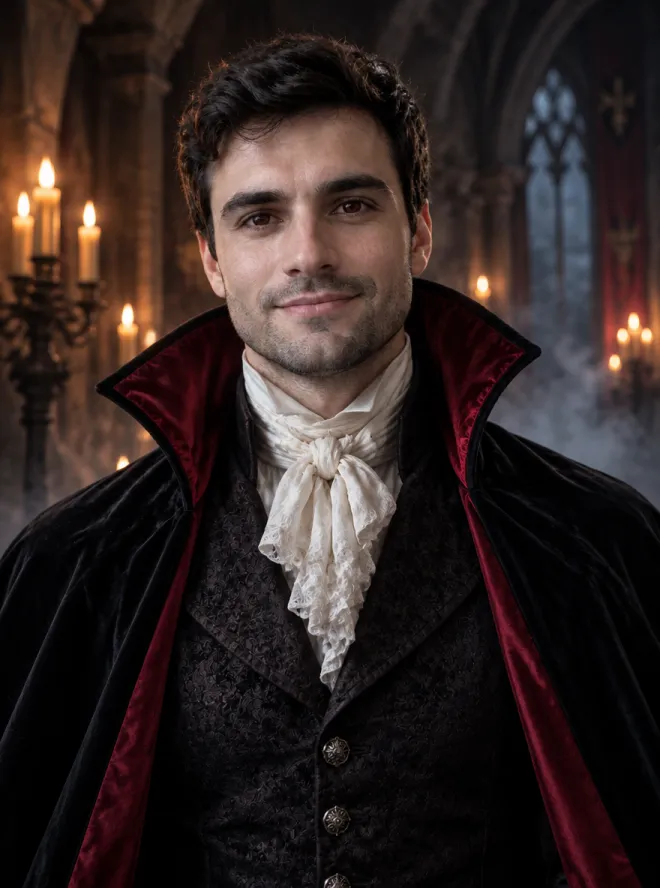
Pale skin, a red-lined velvet cape and a candlelit castle hall. Classic Victorian vampire, no gore.
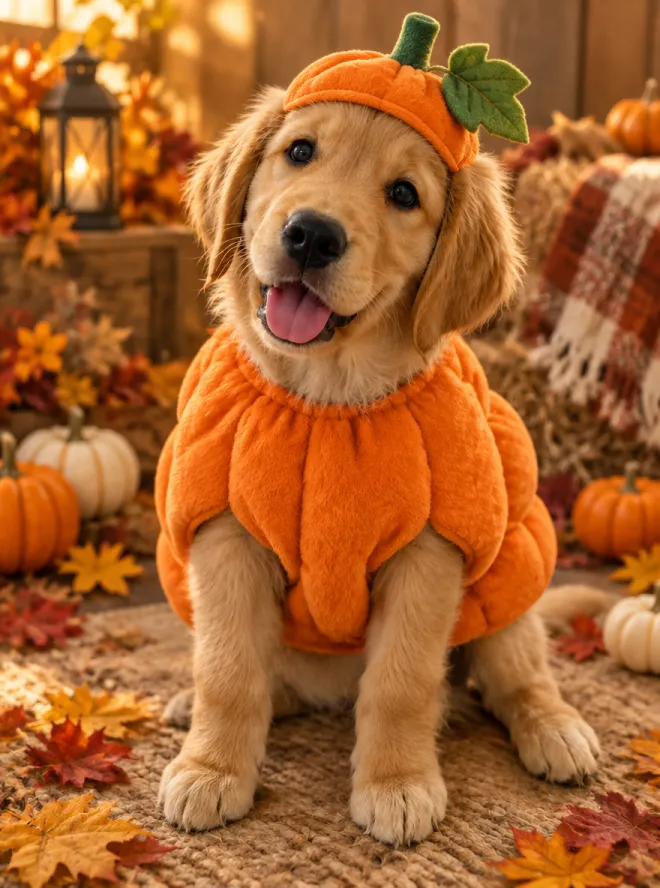
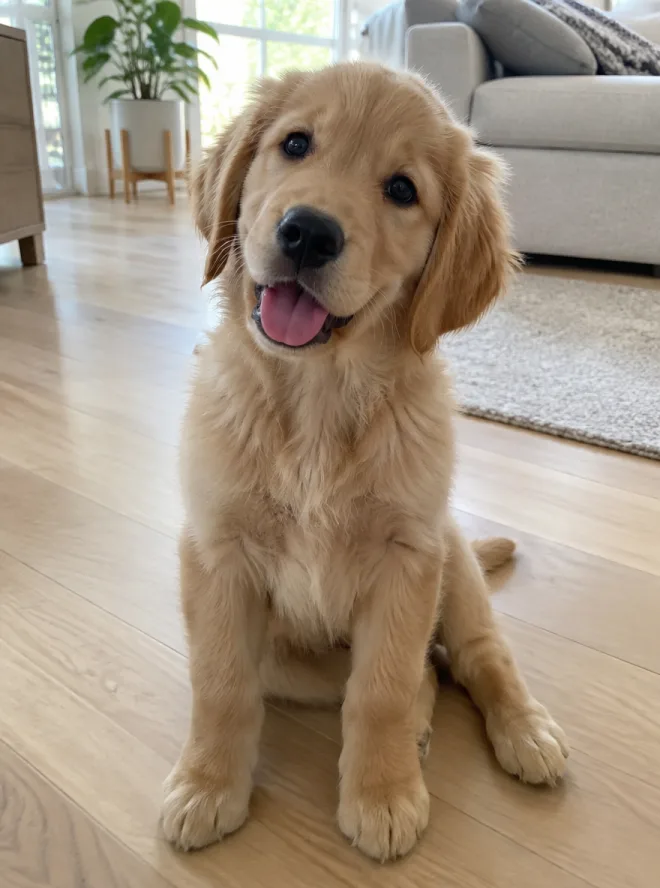
Dress up your dog or cat in a soft pumpkin costume with a little stem hat. Breed, fur and markings stay the same.
How it works
Click Try this look. The prompt and a sample photo load into the generator at the top of the page.
Remove the sample photo and upload yours with the + button: a clear, front-facing photo with good light works best.
Press Generate. In about 30 seconds you get a full-resolution portrait to download, post or turn into a short video.
Prompts
The exact prompts behind each look. Use them here, or in any image editor that accepts a reference photo.
Use the uploaded photo as the main reference. Keep the person's face, facial proportions, skin tone, age and expression recognizable. Turn them into an original gothic Halloween fashion portrait: long violet braids with delicate silver hair pins, an elegant black-and-purple velvet dress with subtle lace and metallic details. Place them in a moonlit Victorian garden with soft fog, glowing lanterns and dark autumn leaves. Photorealistic editorial photography, realistic fabric texture, natural skin, cinematic soft light. Same number of people as the photo. No text, logos or watermarks.
Edit the uploaded photo into an original celestial Halloween princess portrait. Keep the person's face, natural skin texture and pose recognizable. Dress them in a midnight-blue fantasy gown with silver embroidery and softly glowing star patterns, add a delicate silver crescent-moon crown and luminous earrings. Place them in a moonlit observatory with a starry sky through tall windows. Elegant fantasy fashion photography, realistic fabric, cinematic rim light, deep blue, silver and violet palette. No extra people, no text or watermarks.
Using the uploaded photo as reference, turn the person into a futuristic Halloween robot costume portrait. Keep their face, skin tone, head shape and pose recognizable; do not replace the face with a robot head. Give them a believable wearable costume: metallic-looking armor plates, articulated shoulder pieces and subtle blue LED accents. Dramatic blue-and-orange cinematic studio lighting with realistic reflections, dark backdrop. Photorealistic, no extra limbs, no text or logos.
Use the uploaded photo as the main reference and keep the person's identity, face shape, eyes and pose. Paint a detailed sugar-skull style skeleton face makeup on them: white base, black eye sockets and nose, stitched-teeth lines along the lips, delicate floral and filigree details on the forehead and cheeks. Black high-collar shirt. Dark background with warm candlelight and a few marigold flowers. Photorealistic portrait photography, realistic skin and makeup texture. No text or watermarks.
Edit the uploaded photo into an original gothic vampire portrait. Keep the person's face, features and pose recognizable. Pale skin with a subtle cool tone, slightly darker eyes, a high-collared black velvet cape lined with deep red satin over a dark Victorian waistcoat and white cravat. Place them in a candlelit gothic castle hall with stone arches and drifting mist. Moody cinematic lighting, photorealistic, realistic fabric. No fangs dripping blood, no gore, no text or watermarks.
Use the uploaded pet photo as the main reference. Keep the animal's breed, fur color, markings, eye color and face exactly the same. Dress the pet in a soft, cute pumpkin costume with a small green stem hat and a leaf, fitted naturally without covering its eyes. Place it in a cozy autumn photo studio with warm light, mini pumpkins and fallen leaves. Photorealistic professional pet portrait with realistic fur and natural shadows. No extra animals, no text or watermarks.
Credit packs start at $10 for 640 credits, enough for about 120 costume edits, with no subscription. Subscribers get 25% more on every pack.
See credit packsFAQ
You give it a photo and a costume prompt. GPT Image 2.5 edits the photo: it keeps your face, pose and proportions, and changes the outfit, hair, makeup and background to match the look.
Usually, yes. Every prompt asks the model to keep your face, skin tone and age. A clear, front-facing photo with even light gives the most faithful result; heavy shadows, sunglasses or tiny faces make it harder.
Yes. Try the Pumpkin Pet look with a photo of your dog or cat. The prompt keeps the breed, fur color and markings, and only adds the costume and the autumn set.
A costume edit with GPT Image 2.5 costs 5 credits at 1K, 7 at 2K and 9 at 4K. New accounts get free credits, and credit packs from $10 (640 credits) need no subscription.
Your own, or photos of people who agreed to it. Please don't upload photos of children or of anyone without their consent. Uploaded photos are only used to make your image.
Yes. Switch the generator to Video, attach your Halloween portrait as the opening frame and describe a subtle motion, such as hair moving in the wind and fog drifting by.