
GPT Image 2.5 Prompt Guide: A 5-Part Formula and 20 Copy-Paste Prompts
How to write prompts that GPT Image 2.5 follows: a simple five-part formula, tips for text and edits, and 20 ready-to-use prompts for photos, products, illustrations and designs.
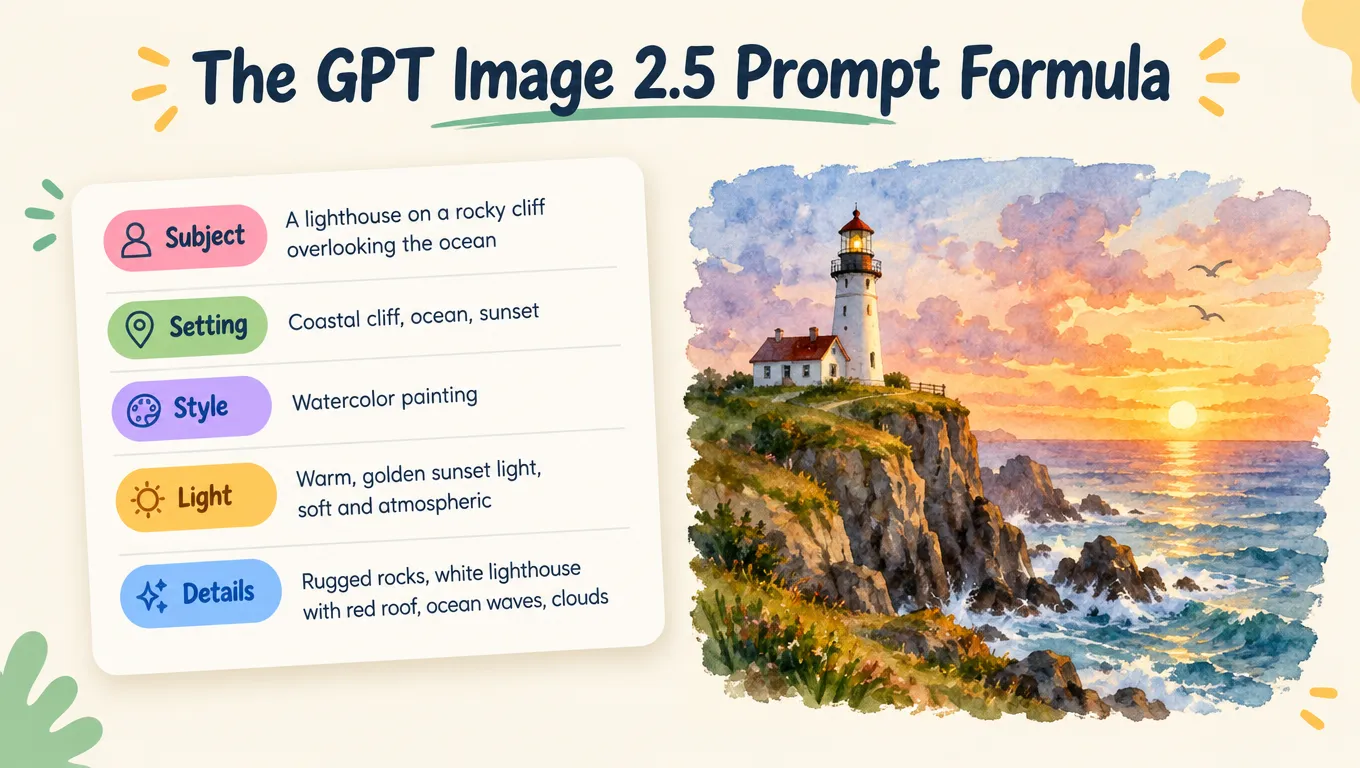
GPT Image 2.5 understands plain language well, so you don't need special keywords or prompt "tricks". What makes the biggest difference is simply telling it more of what you have in mind. This guide gives you a formula to do that, a few rules for text and edits, and 20 prompts you can copy or open straight in the generator.
Why a short prompt isn't enough
Here is the same idea written two ways. Left: a cat in a kitchen. Right: the structured prompt below.
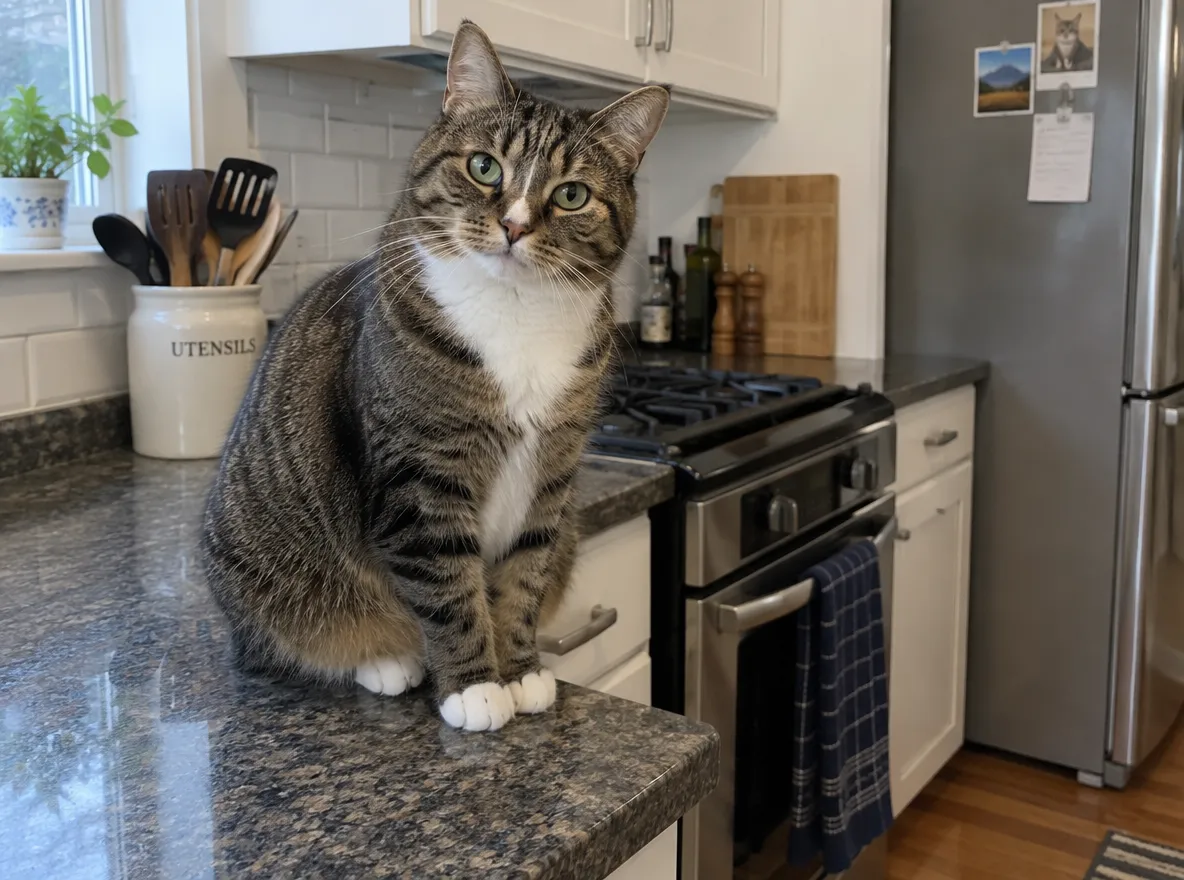
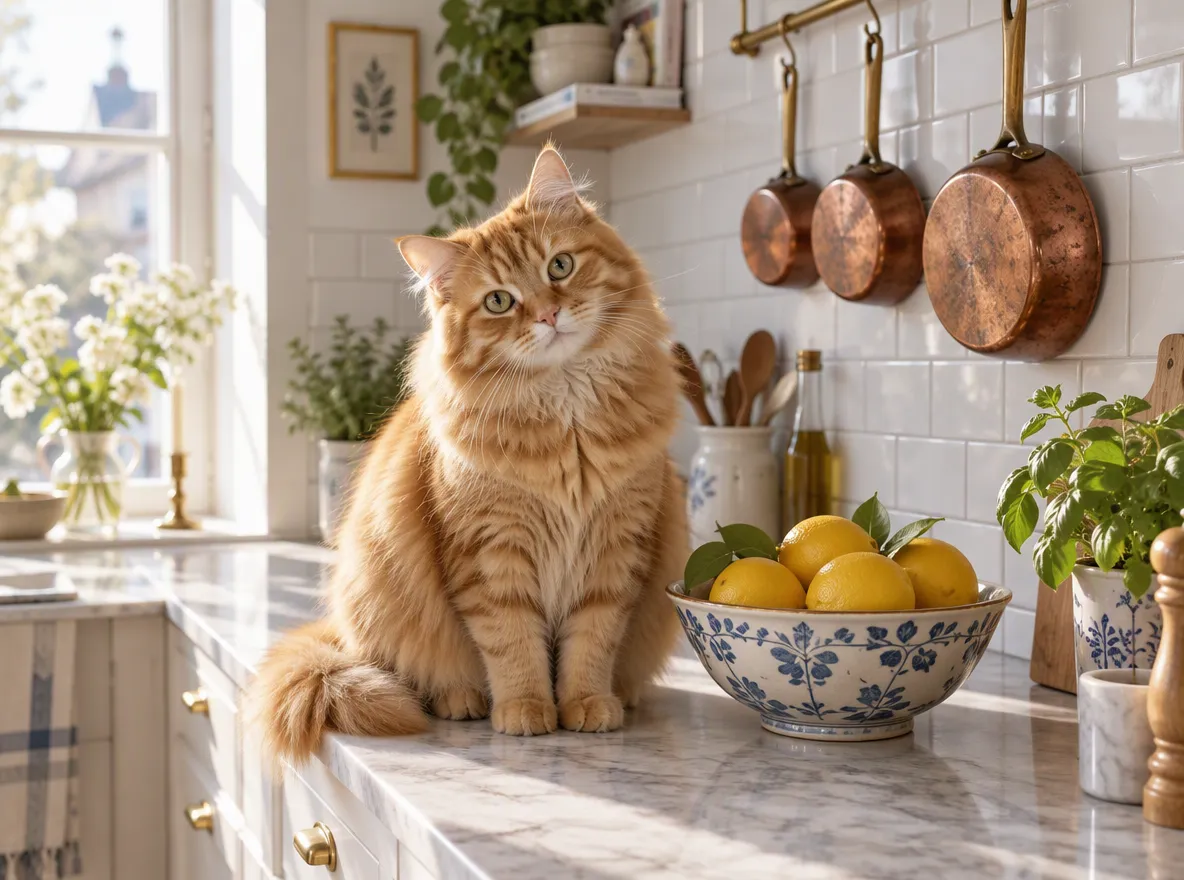
The short prompt isn't wrong. GPT Image 2.5 still made a believable photo. But every decision you didn't make, it made for you: the cat, the kitchen, the light, the mood. The structured prompt gets the picture you actually imagined.
A fluffy orange tabby cat sitting on a marble kitchen counter next to a bowl of lemons, in a sunlit Scandinavian kitchen with white tiles and hanging copper pans. Warm editorial lifestyle photography, soft morning light through a window on the left, shallow depth of field, the cat looking curiously at the camera.
Try this promptThe 5-part prompt formula
Write your prompt as one or two natural sentences that cover these five parts, roughly in this order:
| Part | What to describe | Example |
|---|---|---|
| Subject | Who or what, with key traits | a fluffy orange tabby cat |
| Setting | Where, and what's around it | sunlit Scandinavian kitchen, bowl of lemons |
| Style | Photo, illustration, 3D, poster… | warm editorial lifestyle photography |
| Light | Time of day, direction, mood | soft morning light from the left |
| Details | Camera, composition, finishing touches | shallow depth of field, looking at the camera |
You don't need all five every time. A logo doesn't need lighting, and a quick sketch doesn't need a camera. But when a result feels generic, the missing part is usually one of these.
Rules for text in images
GPT Image 2.5 is good at text, and these habits make it reliable:
- Put the exact words in quotes:
Title: "TODAY'S COFFEE". - Say where the text goes: "headline at the top", "small text at the bottom".
- Keep it short: headlines, labels and prices work best. Paragraphs of body text don't.
- Use Thinking for dense layouts: menus, infographics and anything with many labels.
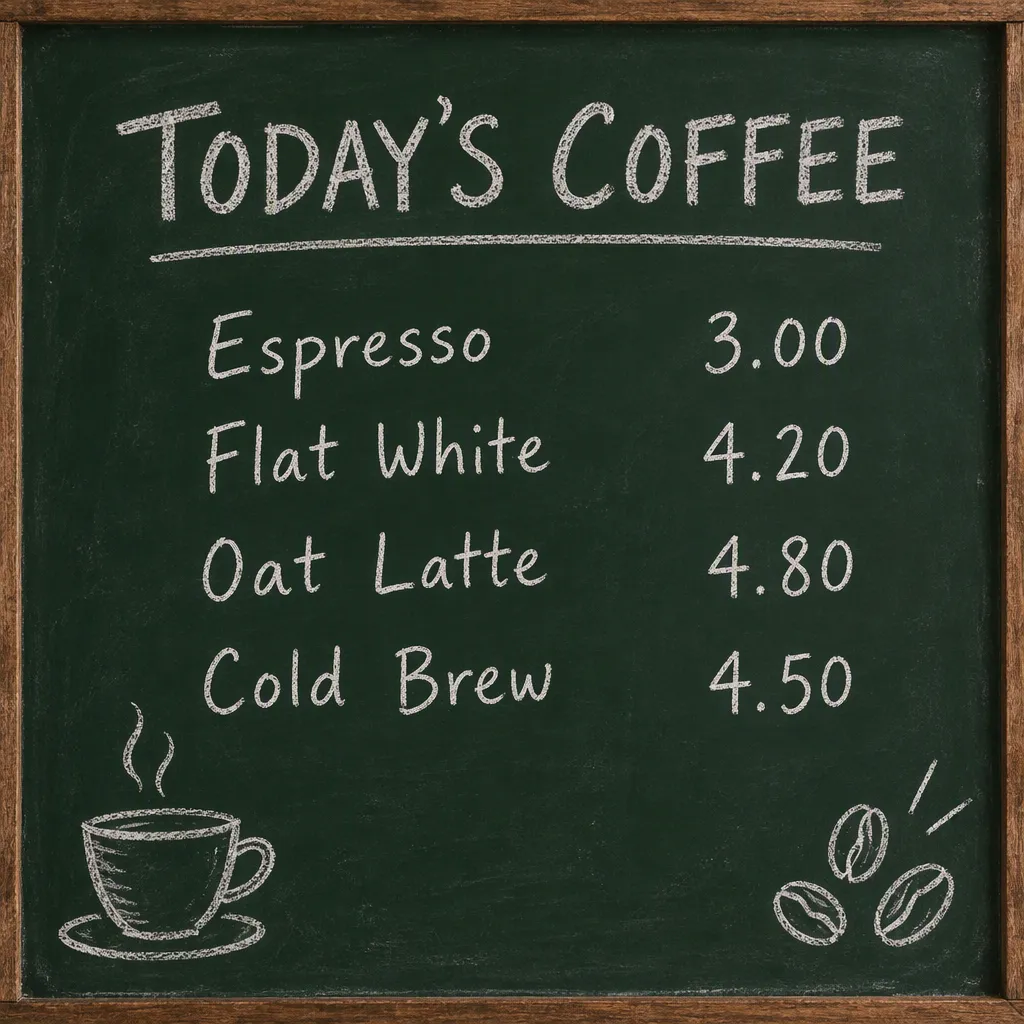
Minimal coffee shop menu board on a dark green chalkboard, hand-lettered in white chalk. Title: "TODAY'S COFFEE". Items with prices: "Espresso 3.00", "Flat White 4.20", "Oat Latte 4.80", "Cold Brew 4.50". Small chalk drawings of a coffee cup and coffee beans in the corners.
Try this promptRules for editing a photo
When you upload a photo and ask for a change:
- Name the one thing to change: "change only the mug to yellow".
- Say what must stay: "keep the face, pose and background the same".
- One change per turn: make the next change in a follow-up message. GPT Image 2.5 keeps the rest of the image steady between turns, so small steps add up cleanly. We tested this in our GPT Image 2.5 vs GPT Image 2 comparison.
20 copy-paste prompts
Click Try this prompt to open any of them in the generator, then change the details to make it yours.
Photography
Candid street portrait of a young woman in a yellow raincoat laughing under a clear umbrella on a rainy Tokyo side street at night, neon signs reflected in puddles, 35mm film photo, soft grain.
Try this promptOverhead photo of a rustic breakfast table: a stack of fluffy pancakes with blueberries and maple syrup, a cup of cappuccino, fresh flowers in a small vase, linen napkin, soft natural window light, editorial food photography.
Try this promptA wooden boat on a turquoise mountain lake surrounded by pine forests and snowy peaks at sunrise, mist over the water, wide landscape photo, crisp detail.
Try this promptA cozy reading nook in a Japanese-style living room: low linen sofa, paper lantern, a stack of books, a sleeping cat, warm afternoon light through shoji screens, architectural interior photography.
Try this promptProducts
Studio product photo of a frosted glass skincare serum bottle with a gold dropper cap and a minimal label that reads only "SERUM", standing on a wet black stone with water droplets, eucalyptus leaves behind it, soft diffused top light, clean luxury advertising style.
Try this prompt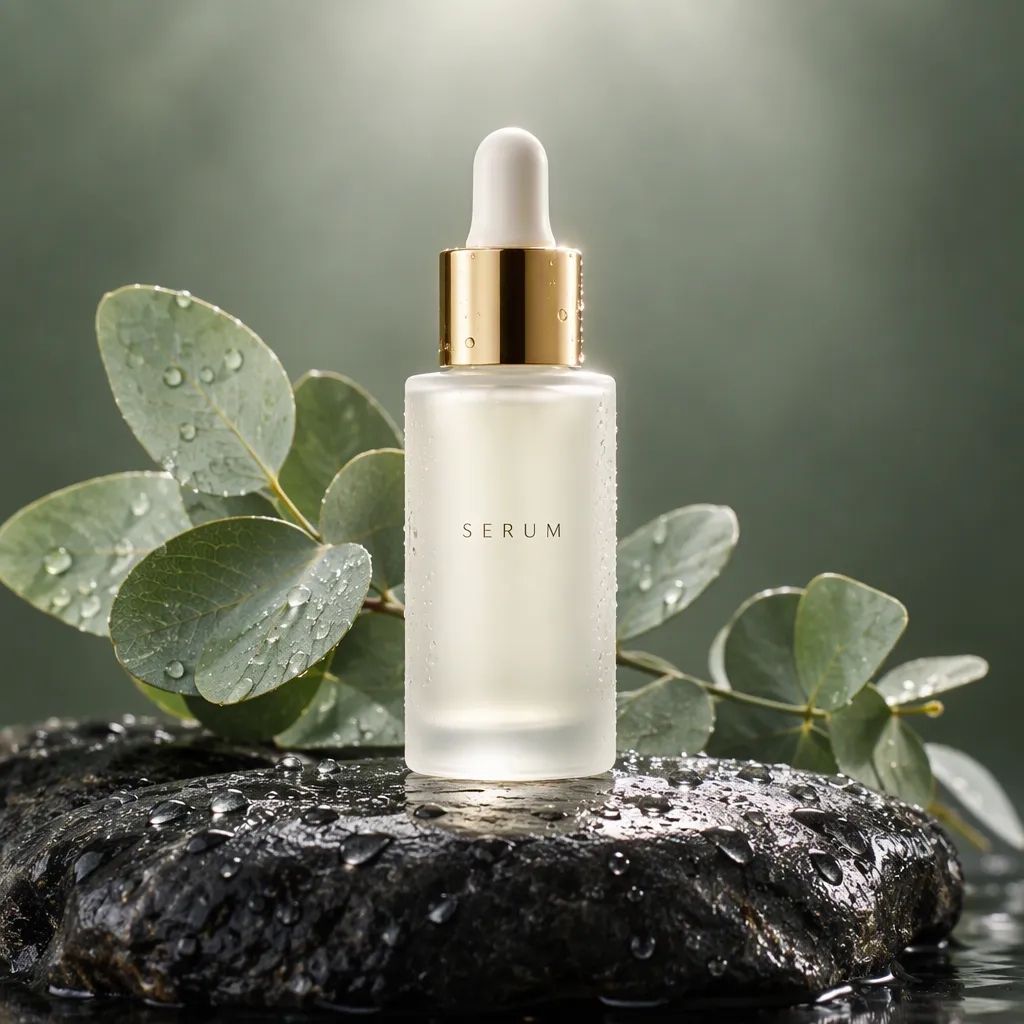
A pair of unbranded white running sneakers floating mid-air against a pastel orange background, small splashes of paint around them, dynamic product shot, sharp detail, soft shadow below.
Try this promptProduct mockup of a kraft paper coffee bag with a simple line-art mountain label, standing on a wooden counter next to scattered coffee beans and a pour-over kettle, warm morning light, e-commerce photo.
Try this promptA minimalist ceramic table lamp glowing on a walnut bedside table next to a book and a glass of water, evening light, Scandinavian bedroom, catalog-style product photo.
Try this promptIllustration
Cozy children's book illustration of a small fox reading a book under a giant mushroom during a gentle rain, fireflies glowing around, soft gouache texture, muted autumn palette of orange, moss green and cream.
Try this prompt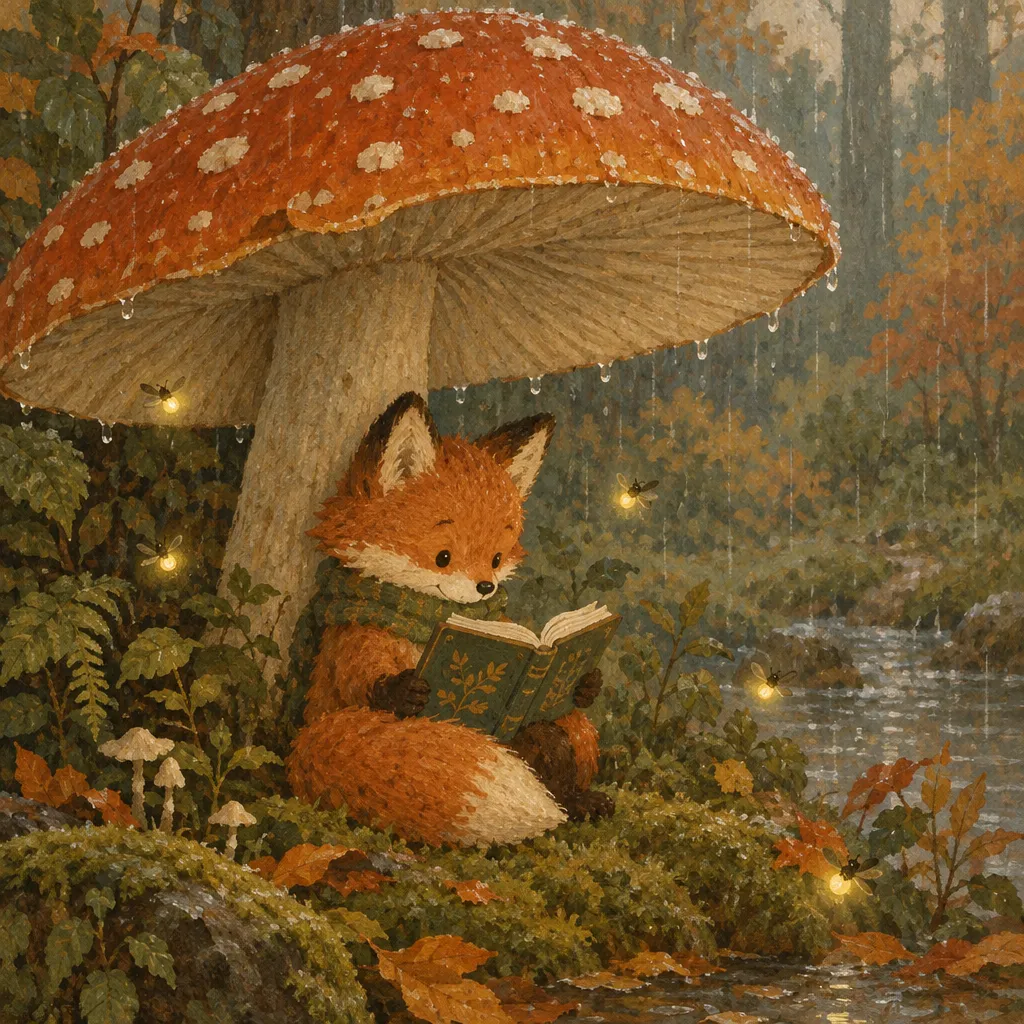
Anime-style scene of two friends sitting on a rooftop at sunset, city skyline glowing behind them, warm orange and purple sky, clean line art and soft cel shading, cinematic composition.
Try this promptA set of nine flat vector icons for a weather app: sun, cloud, rain, snow, thunder, wind, fog, moon and rainbow, consistent rounded line style, soft blue and yellow palette, white background, arranged in a 3x3 grid.
Try this promptA cute 3D character of a little robot gardener holding a watering can, glossy plastic materials, soft studio lighting, pastel green background, Pixar-like style.
Try this promptDesign with text
A vintage-style concert poster. Headline at the top: "SUMMER JAZZ NIGHT". Below it a saxophone player silhouetted against a big orange sun over a city skyline. At the bottom in smaller text: "Friday, July 18 · Riverside Park · Free Entry". Warm retro palette, screen-print texture.
Try this promptA minimalist logo for a bakery called "Fern & Fox": a simple fox curled around a wheat stalk inside a circle, with the wordmark "FERN & FOX" below, forest green on cream, flat vector style.
Try this promptInstagram post design for a fitness studio: bold headline "NEW YEAR, NEW YOU", subline "First class free · January only", a woman stretching in a bright studio, energetic coral and white palette, clean modern layout.
Try this promptClean infographic titled "How Solar Power Works" with four numbered steps: 1 "Sunlight hits the panels", 2 "Panels make DC power", 3 "Inverter converts to AC", 4 "Power runs your home". Simple flat icons, sky blue and sunny yellow palette, readable labels.
Try this promptPhoto edits (upload your photo first)
Replace the background with a clean white studio backdrop and a soft shadow under the product. Keep the product exactly the same.
Try this promptRestore this old photo: remove scratches and dust, fix the faded colors, sharpen the faces naturally. Keep the people and composition exactly as they are.
Try this promptChange only the jacket to a camel wool coat. Keep the face, hair, pose and background exactly the same.
Try this promptTurn this summer scene into a snowy winter day: snow on the ground and trees, soft overcast light. Keep the buildings and composition the same.
Try this promptQuick checklist
- Did you name the subject clearly, with one or two traits?
- Did you say where it is and what style you want?
- Did you describe the light?
- Are any words that must appear in quotes?
- For edits: did you say what to change and what to keep?
Ready to try it? Open the Image2.5 AI image generator and start with any prompt above. If you make videos, see how to use the same approach for YouTube thumbnails.