
How to Turn a Photo into Anime with AI (and Keep the Face)
Turn a photo into anime without losing the likeness: the prompt that keeps the face, 5 anime styles to copy, pets, and a storyboard of the same character.
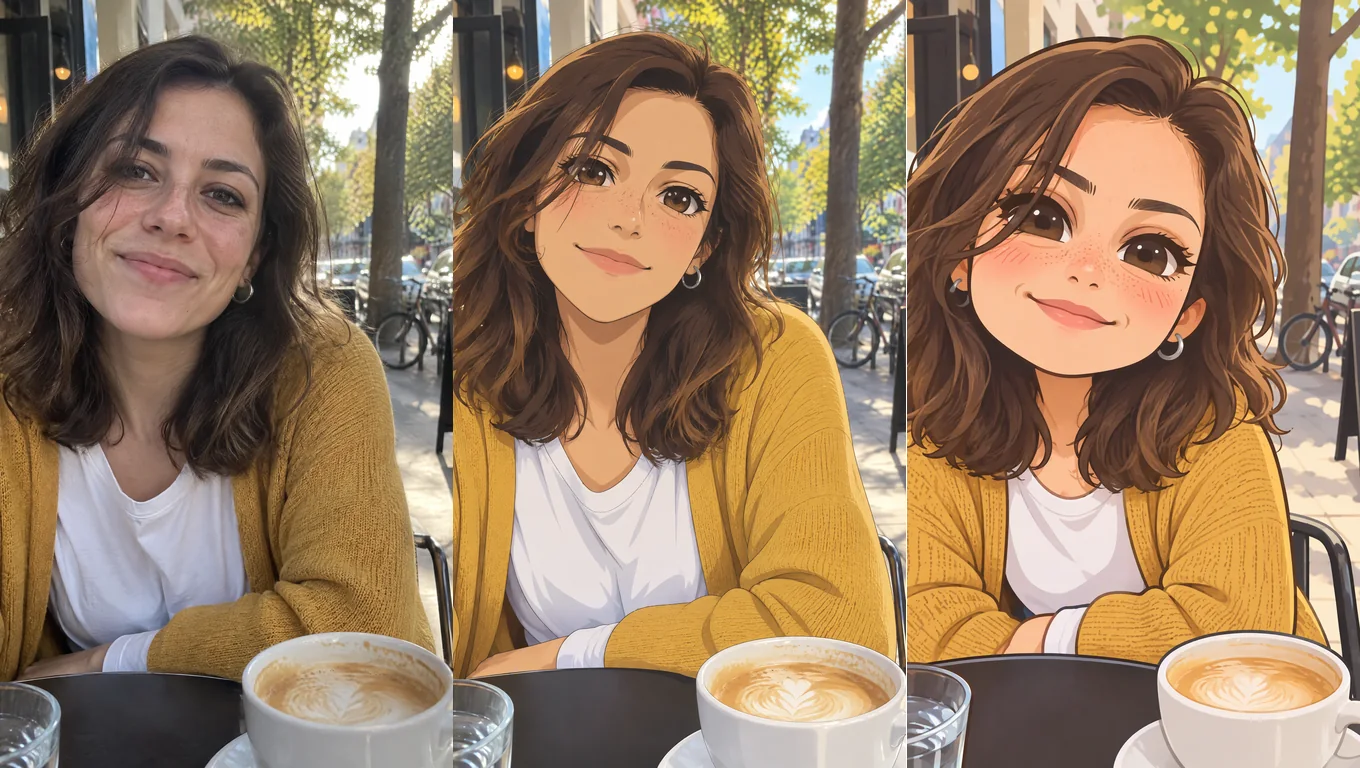
The most common complaint about "photo to anime" tools is that the result doesn't look like you anymore. You get a pretty, generic anime face, and your freckles, your hair and your earrings are gone. The fix isn't a special tool. It's telling the AI what to keep, not just "make it anime".
The short version: upload your photo, use a prompt that lists what must stay the same (face shape, hair, eye color, skin details, accessories, outfit, pose, background), then name the anime style you want. Use Thinking mode at 2K. Below are the exact prompts, five styles, how to push it more or less "anime", and how to draw the same character again in new scenes.
Every example here was made with Image2.5 from the same photo of a fictional person (generated for this guide), so you can compare the styles fairly.
The photo we started with
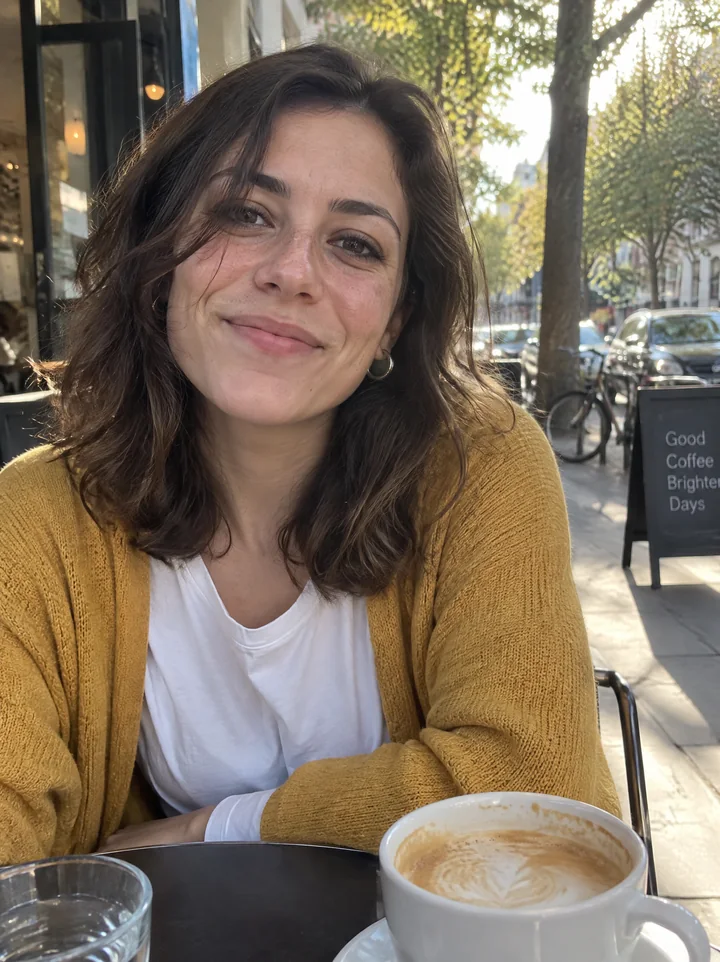
A good starting photo has the face clearly visible, even light, and the person not too small in the frame. Selfies and half-body shots work best.
"Make it anime" vs. saying what to keep
Here are two results. On the left, the whole prompt was Make it anime. On the right, it was the prompt below.
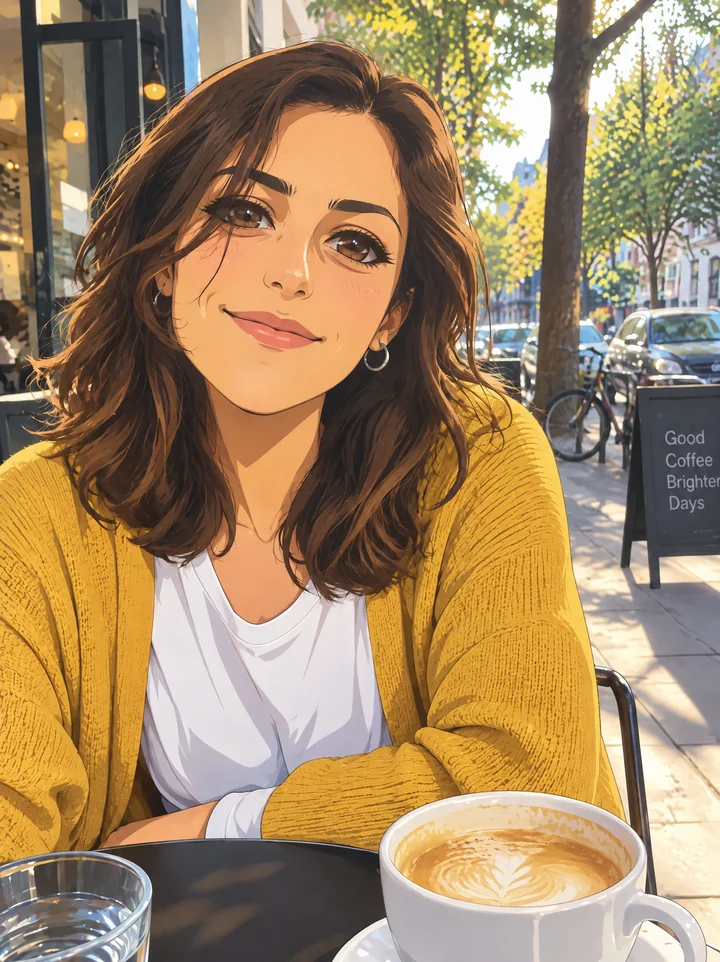
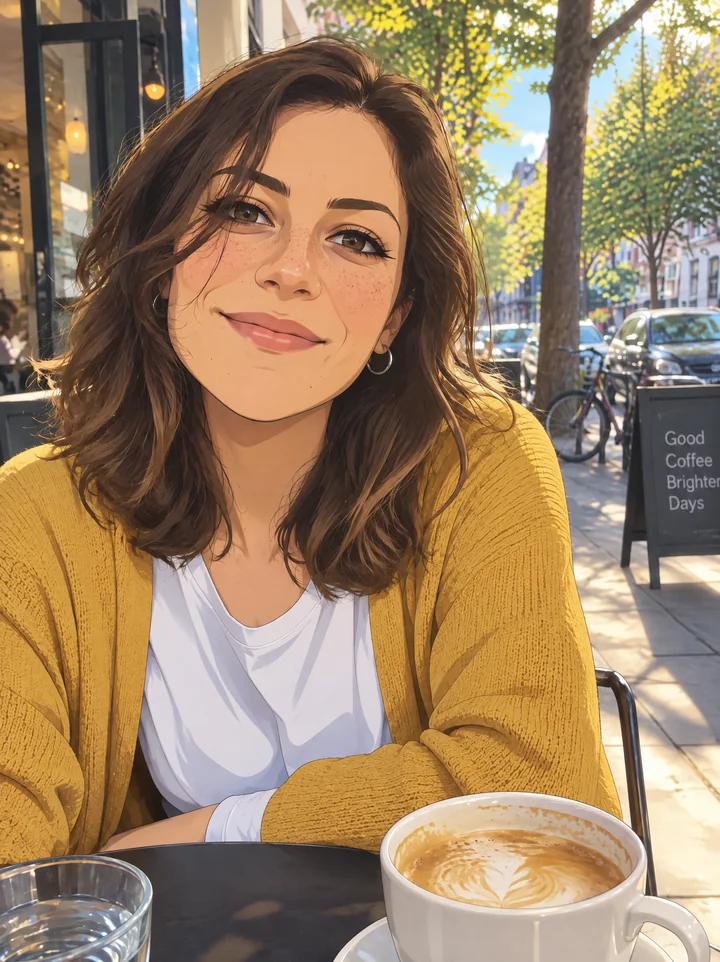
The short prompt still looks roughly like her, but the freckles are gone and the face drifts toward a generic, made-up anime look. The detailed prompt keeps the freckles, the earring, the hair and the whole café scene:
Turn this photo into anime art of the same person. Keep everything that makes them recognizable: face shape, hairstyle and hair color, eye color, skin details like freckles or moles, accessories, outfit and colors, expression, pose, camera angle and background layout. Style: modern TV anime, clean thin line art, cel shading with soft gradients, bright clear colors, detailed anime background.
Try this promptThe first two sentences are the part that does the work. Keep them, and change only the Style: sentence to get the looks below.
Five anime styles to copy
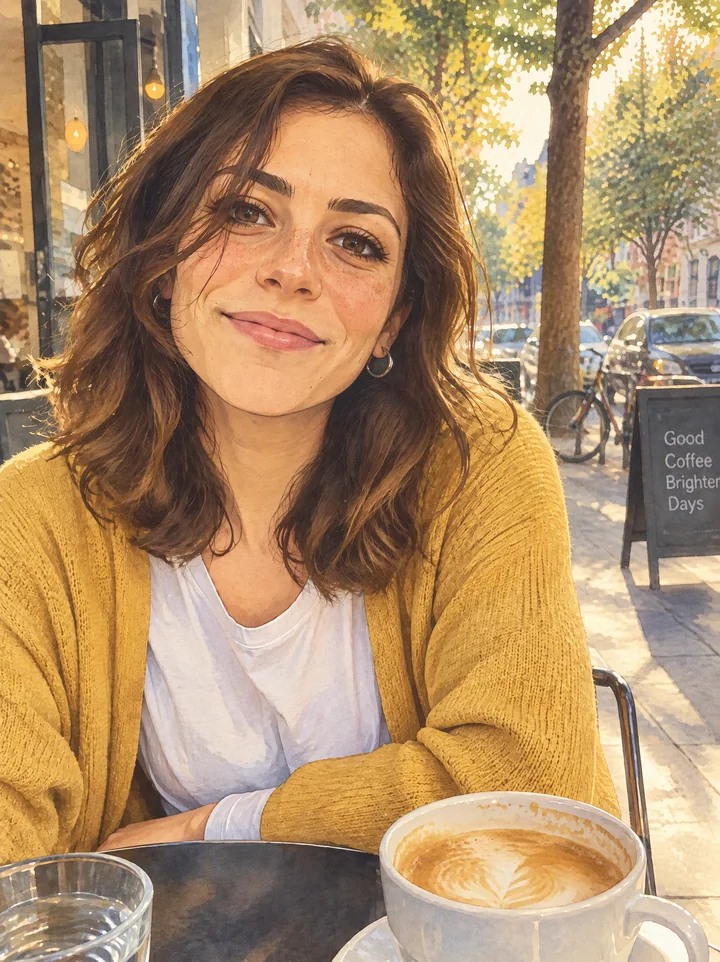
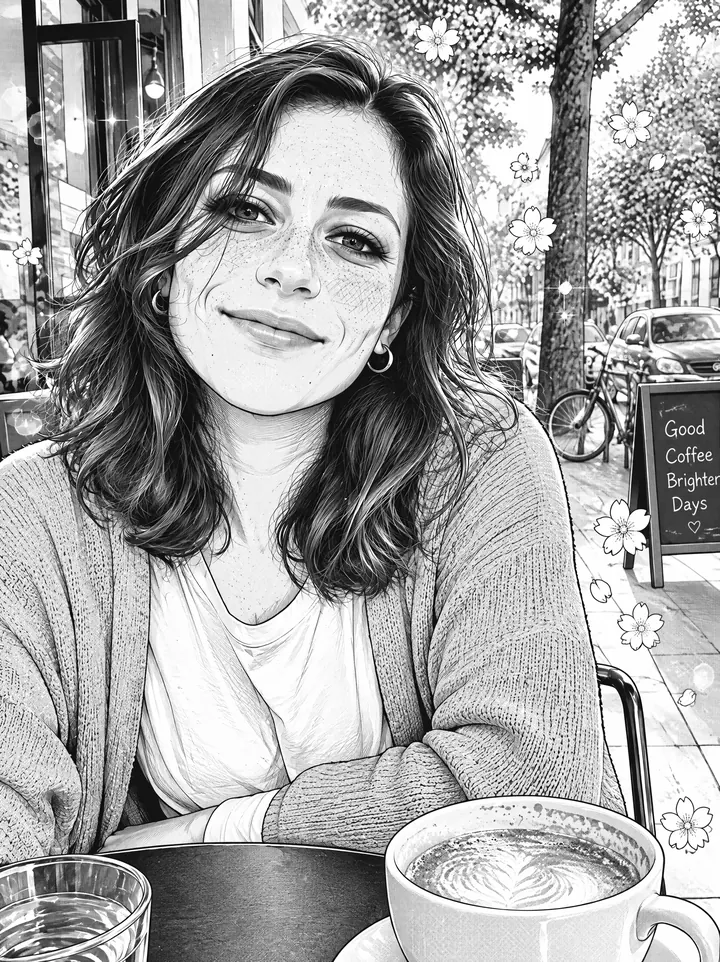
Each prompt starts with the same two "keep" sentences; only the style changes.
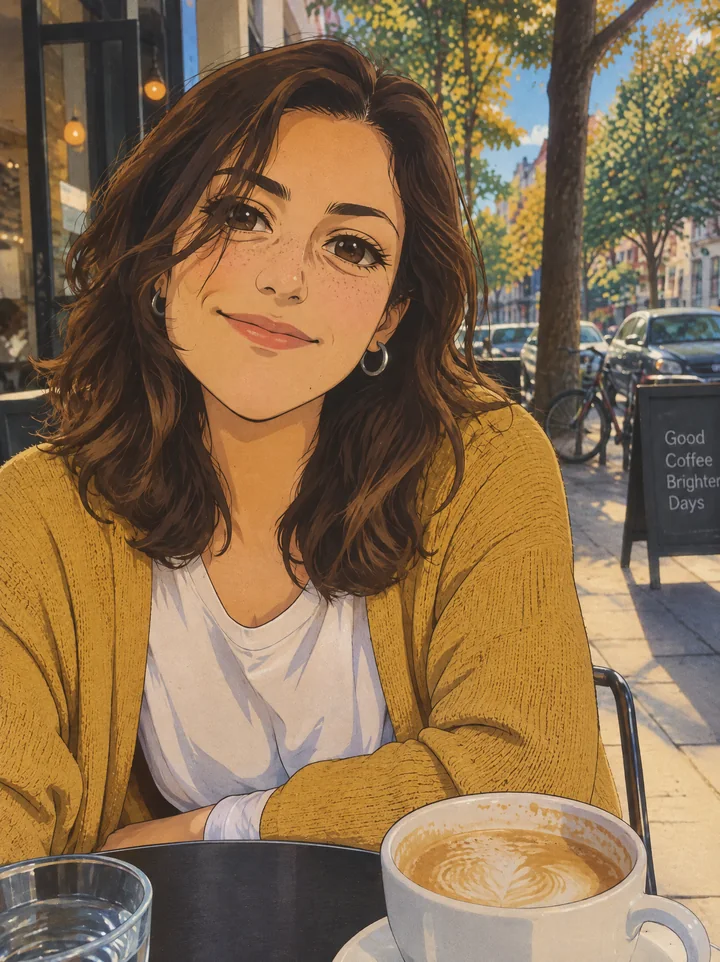
Turn this photo into anime art of the same person. Keep everything that makes them recognizable: face shape, hairstyle and hair color, eye color, skin details like freckles or moles, accessories, outfit and colors, expression, pose, camera angle and background layout. Style: 1990s cel-animated anime, hand-painted look, slightly muted film colors, soft grain, thicker line art and retro anime eyes.
Try this promptTurn this photo into anime art of the same person. Keep everything that makes them recognizable: face shape, hairstyle and hair color, eye color, skin details like freckles or moles, accessories, outfit and colors, expression, pose, camera angle and background layout. Style: soft watercolor anime illustration with a painterly background, warm afternoon light and gentle hand-painted textures, like a still from an anime film.
Try this prompt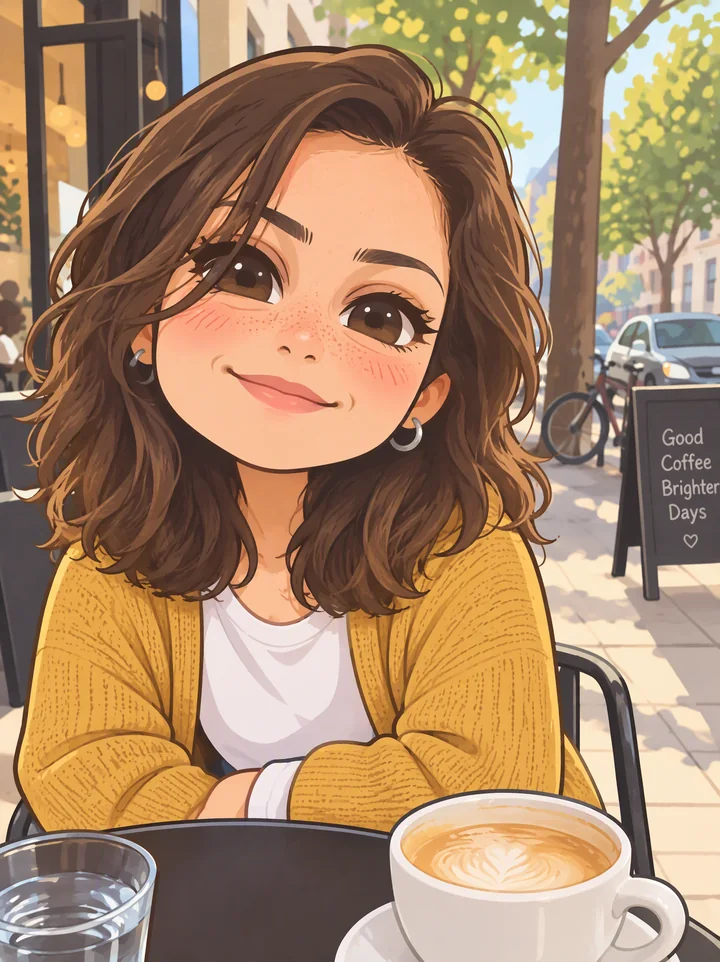
Turn this photo into anime art of the same person. Keep everything that makes them recognizable: face shape, hairstyle and hair color, eye color, skin details like freckles or moles, accessories, outfit and colors, expression, pose, camera angle and background layout. Style: cute chibi anime with a big head and a small body (about 1:2), simple rounded shapes, flat pastel colors and a thick soft outline.
Try this promptTurn this photo into anime art of the same person. Keep everything that makes them recognizable: face shape, hairstyle and hair color, eye color, skin details like freckles or moles, accessories, outfit and colors, expression, pose, camera angle and background layout. Style: black-and-white shoujo manga panel, clean ink lines, screentone shading, sparkles and small flowers in the background, no color.
Try this promptThe fifth style is the modern TV anime look from the first prompt above.
More "anime" or more "you"? Turn the dial
There's a trade-off. The more facial details you ask the AI to keep, the closer the result stays to a real face. If you want a full anime character (big eyes, a tiny nose), keep the hair, colors and outfit but let the face take anime proportions:
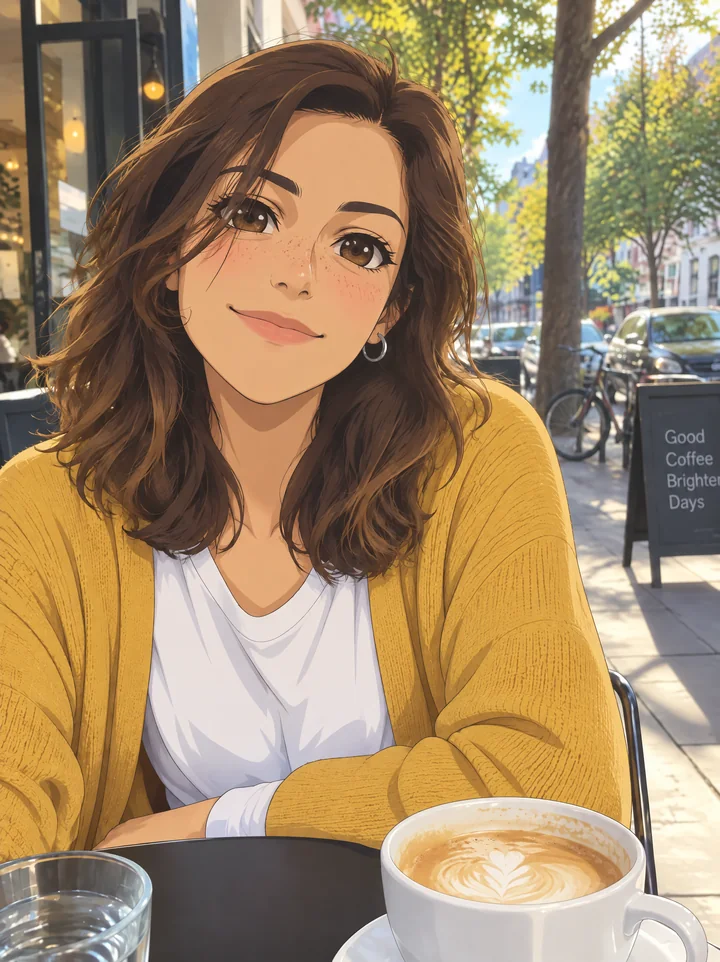
Turn this photo into a full anime character of the same person. Keep the hairstyle and hair color, eye color, freckles, accessories, outfit and colors, expression, pose and background. Use real anime proportions: larger expressive eyes, a small simplified nose and mouth, smooth cel-shaded skin. Style: modern TV anime, clean thin line art, bright clear colors.
Try this promptA useful rule: hair, colors and accessories carry the likeness in anime, more than the exact face. Keep those, and people will still recognize the character even with big anime eyes.
Pets work too
The same idea works for animals: name the breed, the fur colors and markings, and anything they wear.
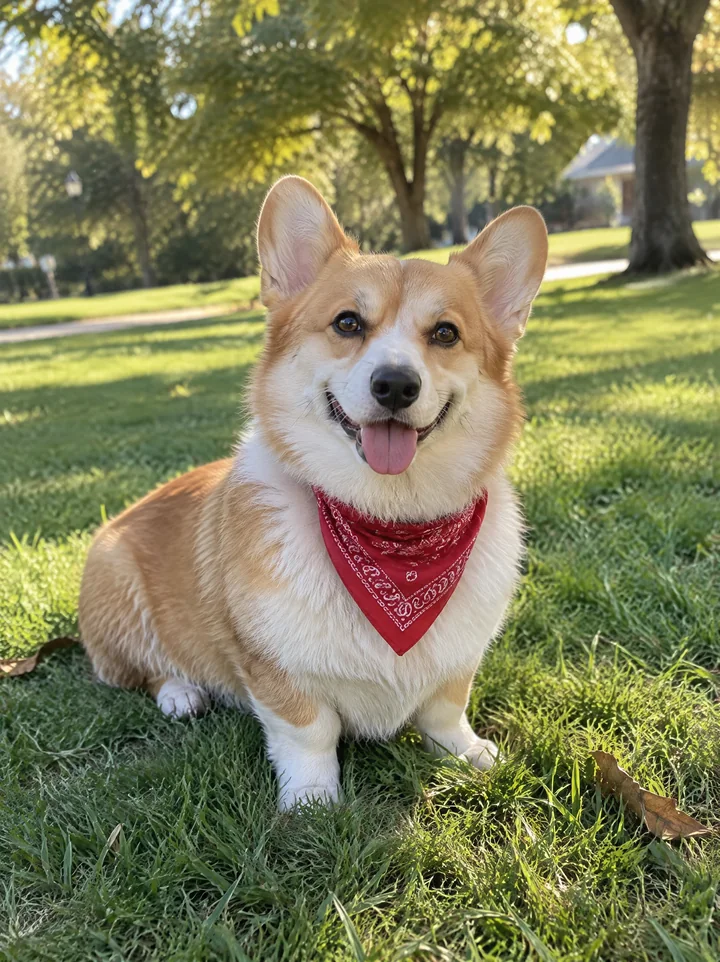
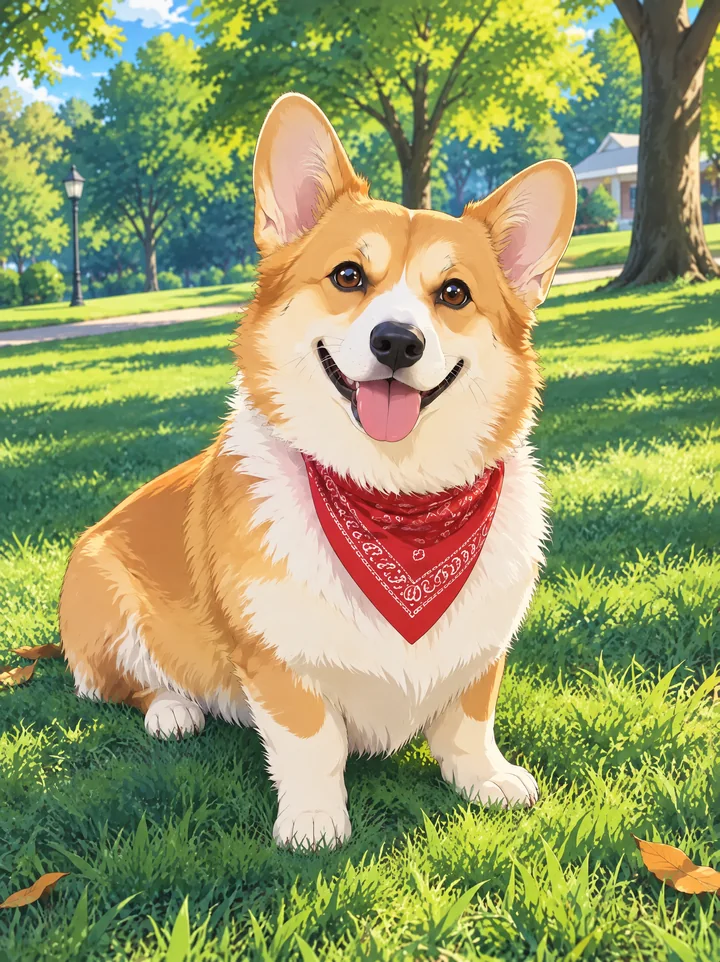
Turn this photo into anime art of the same dog. Keep its breed, fur colors and markings, the red bandana, its expression and pose. Style: modern TV anime, clean line art, cel shading, bright colors and a painted park background.
Try this promptChange "dog" and "red bandana" to match your pet.
Draw the same character in new scenes
Once you have an anime version you like, use that image (not the original photo) as the reference for new scenes. Here's a three-panel storyboard made from the "anime proportions" result:
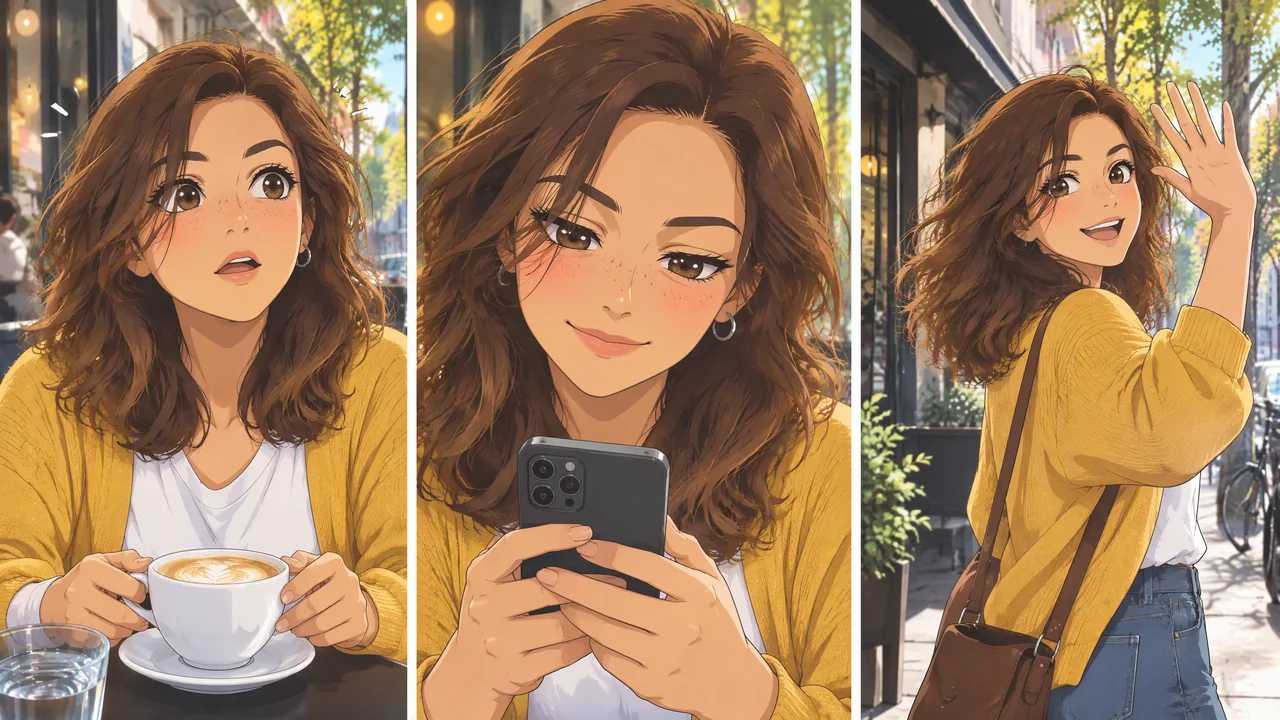
Using the uploaded anime character as the reference, draw a 3-panel anime storyboard of the same character (same face, hair, freckles, earring and outfit). Panel 1: she looks up from her coffee, surprised. Panel 2: close-up as she reads a message on her phone and smiles. Panel 3: she stands up and waves goodbye outside the café. Three panels side by side with thin white gutters, the same modern TV anime style in every panel, no text and no speech bubbles.
Try this promptThe face, freckles, earring and cardigan stay the same in all three panels. Rewrite the three panel descriptions for your own story. For a single new scene, ask for one image instead of panels; each scene then gets the full resolution.
Fixing the usual problems
| Problem | Add to the prompt |
|---|---|
| It doesn't look like the person | List their most distinctive details by name: freckles, gap in the front teeth, round glasses, a side part. |
| The face looks too realistic, not anime enough | Use real anime proportions: larger expressive eyes, a small simplified nose and mouth. |
| The outfit or colors changed | Keep the exact outfit and colors from the photo. |
| The background was replaced | Keep the background layout from the photo., or describe the new background you want. |
| Extra people or objects appeared | Only the person from the photo, nothing added. |
Settings and cost
- Thinking mode follows long "keep" lists more closely than Fast mode. Use Fast to try styles quickly, Thinking for the version you keep.
- 2K and the Standard quality tier is the sweet spot for anime: clean lines without paying for High. The prompt buttons in this guide open with those settings selected.
- Cost on Image2.5: a photo-to-anime edit at 2K Standard is 11 credits (7 at the Low tier). Each one took about 40 seconds.
FAQ
Can I use someone else's photo? Only photos you have the right to use: your own, or with the person's permission. Sexual or nude edits of real people aren't supported and are blocked.
Can I use the result as my profile picture or commercially? Yes. The images you generate are yours to use, including commercially, under our Terms of Service.
Can I copy a specific studio's style? Describe the look instead of naming a studio: line weight, colors, shading, era. That gets you the style you want and keeps your image your own.
Group photos? They work, but each face gets fewer pixels. For best likeness, do one person per image, or describe each person in the prompt ("the man on the left with a beard…").
Ready to try it? Open the first prompt above, upload your photo and pick a style, or go to the generator.